: How to write prompts that get the results you want
The quality of your Mianki AI outputs is directly determined by the quality of your prompts. This guide explains how to write prompts that consistently produce production-ready results.
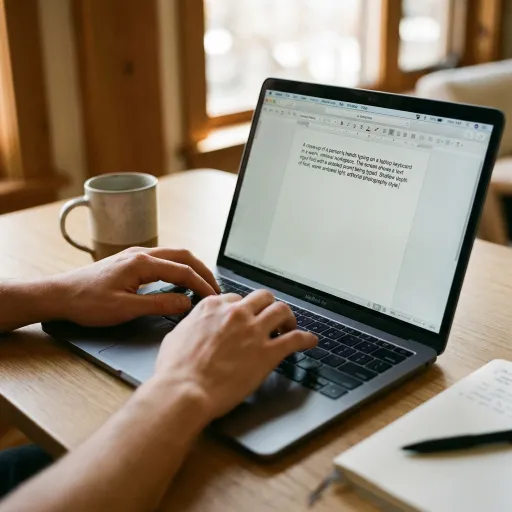
The core principle
A prompt is a brief. The more precisely you describe what you want, the more precisely you will get it. Vague prompts produce vague results. Specific prompts produce specific results.
The single most important thing you can do to improve your generation quality is to invest time in writing better prompts.
Anatomy of a strong prompt
A strong Mianki AI prompt typically includes four elements:
1. Subject — Who or what is in the image 2. Scene — Where the subject is and what is happening around them 3. Mood — The emotional tone and atmosphere of the image 4. Technical detail — Compositional, lighting, or format specifics
Weak prompt: A woman working Strong prompt: A young professional woman in her late twenties working at a minimal oak desk, warm afternoon window light, shallow depth of field, editorial photography style, calm and focused mood
The difference between these two prompts is the difference between an average output and a production-ready one.
Subject description
Be specific about your subject. Include relevant details about age, appearance, setting, activity, and posture. The more precisely you define the subject, the less the model has to interpret.
Useful descriptors: — Age range ("a woman in her mid-thirties" rather than "a woman") — Clothing and styling where relevant ("wearing a white linen shirt") — Activity and posture ("sitting at a desk, looking at a laptop screen") — Diversity and representation ("diverse group of colleagues", "South Asian woman", "older man with grey hair")
Scene description
Describe the environment in enough detail that someone who has never seen your brand could picture it. What room is it? What time of day? What is on surfaces nearby? What is visible in the background?
Useful descriptors: — Room type and quality ("a minimal, high-ceilinged office with large windows") — Light source and quality ("warm golden hour light from the left") — Background detail ("blurred city view through floor-to-ceiling windows") — Props and surfaces ("a ceramic coffee cup, a open notebook, a muted plant")
Mood and atmosphere
The mood of an image is often what makes it feel on-brand. Do not leave this to chance. State it explicitly.
Useful mood descriptors: — Calm, focused, unhurried — Warm, intimate, domestic — Bold, energetic, forward-moving — Premium, quiet, understated luxury — Playful, spontaneous, joyful — Serious, considered, authoritative
Technical detail
Specifying compositional and photographic details gives you much more control over the final output.
Useful technical descriptors: — Framing ("close-up portrait", "wide establishing shot", "overhead flat lay") — Depth of field ("shallow depth of field", "everything in focus") — Lighting style ("soft diffused light", "hard directional shadow", "backlit silhouette") — Photography style ("editorial photography", "documentary photography", "product photography") — Aspect ratio context ("square format", "wide landscape composition", "portrait orientation")
Building a prompt library
The most effective Mianki AI users develop a prompt library — a saved collection of tested, refined prompts for each type of image they regularly generate. Instead of writing prompts from scratch each session, they start from a proven foundation and adapt it for the specific need.
A basic prompt library for a brand team might include:
— Hero lifestyle image prompt (wide, featuring people) — Product detail prompt (close-up, clean background) — Editorial scene prompt (environmental, no people) — Social content prompt (square format, bold mood) — Blog header prompt (wide, illustrative or abstract)
Build your prompt library over your first two to three generation sessions, refining each prompt type until it consistently produces production-ready outputs.
Common mistakes and how to fix them
Outputs feel generic and do not look on-brand Check that your trained style is selected. If it is, your training dataset may need refinement. Revisit the dataset guide.
Outputs are inconsistent across generations Your prompt may be too vague. Add more specific scene and mood detail to reduce the model's interpretive range.
Subjects look wrong Add more specific subject description. Age, appearance, activity, and posture details all help.
Background or environment is not right Add explicit scene description. Do not assume the model will infer the environment from the subject.
Outputs are good but not production-ready Run the Upscale tool after generation. Most quality issues at standard resolution resolve at 4K.

